

Customizable dashboards powered by Google Analytics 4 (GA4) transform raw data into actionable insights for businesses. Cloud-native architecture ensures scalability, while GA4's enhanced measurement and user-centric approach track customer journeys across platforms. Strategic design emphasizes interactivity and filters for focused exploration, with regular updates crucial for future readiness. Effective use involves tailored dashboards integrating key insights into workflows, fostering trust and enhancing efficiency in data-rich environments.
In today’s data-driven world, understanding user behavior is crucial for any business. Customizable dashboard design, powered by tools like Google Analytics 4, offers a dynamic solution to this challenge. Effective dashboards provide insights at a glance, enabling stakeholders to make informed decisions quickly. However, off-the-shelf dashboards often fall short, leading to fragmented information and inefficient analysis. This article delves into the art and science of customizable dashboard design, exploring how businesses can harness the power of GA4 to create tailored, intuitive, and actionable visualizations that drive success.
- Understanding Customizable Dashboard Design Basics
- Integrating Google Analytics 4 for Data-Driven Dashboards
- Designing User-Friendly Interfaces and Visuals
- Advanced Customization Techniques and Best Practices
Understanding Customizable Dashboard Design Basics
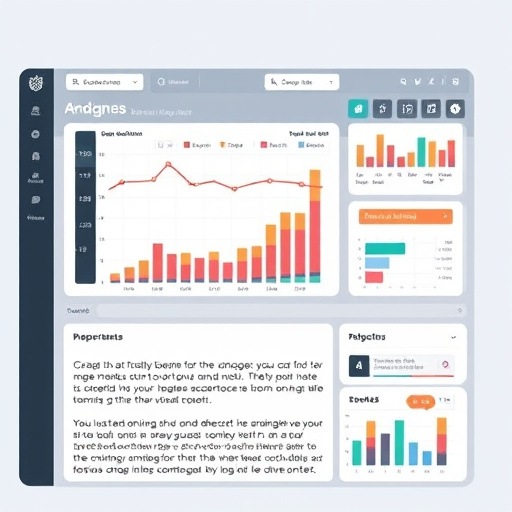
In today’s data-driven world, a customizable dashboard design is an indispensable tool for businesses to make informed decisions. Understanding the basics of this approach involves recognizing its potential to transform raw data into actionable insights. A well-designed dashboard, powered by advanced analytics like Google Analytics 4 (GA4), offers unparalleled visibility into key performance indicators (KPIs) specific to various industries. This adaptability is crucial for businesses to stay agile and competitive.
The heart of a successful customizable dashboard lies in its ability to accommodate industry-specific certifications and evolving trends in future-proof analytics. Cloud-native architecture, for instance, enables dynamic scaling and real-time data processing, ensuring that dashboards remain responsive and accurate as business needs change. By leveraging tools like GA4, which provides enhanced measurement capabilities and a user-centric approach, organizations can track customer journeys across multiple platforms. For example, an e-commerce company might use GA4 to analyze customer behavior on its website, mobile app, and social media channels, allowing for unified decision-making based on comprehensive data.
Ranknrise.us.com emphasizes the importance of a strategic dashboard design process. It involves not just aesthetics but also functionality tailored to the user’s needs. By incorporating interactive visualizations, customizable filters, and segmentations, dashboards become powerful tools for exploration and discovery. This approach enables users to focus on specific aspects of their business, such as marketing campaigns or sales trends, without getting overwhelmed by extensive data. Moreover, regular updates based on evolving business goals and data privacy regulations are essential to maintaining a future-ready analytics infrastructure.
Integrating Google Analytics 4 for Data-Driven Dashboards
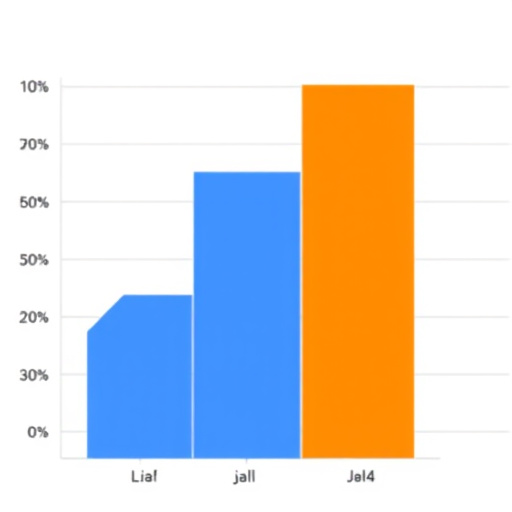
Customizable dashboard design, powered by robust data tools, is transforming the way businesses gain insights. Among these tools, Google Analytics 4 (GA4) stands out for its advanced capabilities in tracking user behavior and providing actionable data. Integrating GA4 into your dashboard design allows for data-driven decision-making, enabling you to optimize your digital strategies in real-time.
GA4 offers a comprehensive view of user interactions across various platforms, leveraging innovative technologies like machine learning for precise insights. For instance, its ability to attribute multi-channel conversions provides a more accurate picture of customer journeys, empowering businesses to focus their efforts where they matter most. Moreover, GA4’s robust data validation ensures the integrity of your analytics, enabling you to trust the insights you derive from your dashboards.
When designing dashboards that incorporate GA4, security and privacy are paramount. Google’s secure cloud infrastructure guarantees the safety of sensitive data, while its “privacy by design” approach ensures compliance with stringent data protection regulations. This commitment to privacy is crucial, especially as businesses strive to maintain the trust of their customers.
To leverage GA4 effectively, consider implementing dynamic, interactive dashboards that adapt to real-time data changes. Utilize visual cues and customizable reports to cater to different user needs and roles. For example, a marketing team might focus on engagement metrics, while a sales team could prioritize conversion rates. By integrating these insights into your operational workflows, organizations like Rank N Rise have achieved significant improvements in performance and efficiency. Embrace these innovative technologies to stay ahead in today’s competitive digital landscape.
Designing User-Friendly Interfaces and Visuals

Designing user-friendly interfaces and visuals is a critical aspect of creating effective customizable dashboards. To achieve this, designers must prioritize bias-free insights from tools like Google Analytics 4 (GA4), ensuring that data presented is accurate and representative. By adopting data-backed approaches, organizations can make informed decisions that optimize their workforce and data privacy partnerships, fostering an environment where trust and transparency thrive.
For instance, consider a dashboard designed to track sales performance. Using GA4, designers can leverage features like event tracking and user engagement metrics to provide a comprehensive view of customer interactions without introducing biases that might skew results. This approach ensures that decision-makers are equipped with the right tools to understand customer behavior, optimize marketing strategies, and enhance overall business performance.
Visuals play a pivotal role in dashboard design. Clear and intuitive graphics facilitate quick comprehension, enabling users to interpret data effortlessly. For example, utilizing heatmaps within GA4 can reveal areas of high user engagement on a website, guiding designers to make data-driven decisions that improve user experience. By prioritizing simplicity and clarity, dashboards become powerful tools for driving successful outcomes, ensuring that data remains accessible and actionable for all stakeholders, including those who may not possess advanced analytical skills.
In the digital age, where data is abundant but insights are scarce, effective dashboard design is more crucial than ever. Brands like https://ranknrise.us.com/ exemplify this by offering solutions that empower businesses to harness their data effectively. By integrating bias-free insights and prioritizing user-friendliness, organizations can make data-backed decisions that drive growth, enhance operational efficiency, and foster stronger partnerships within their data privacy ecosystems. Ultimately, a well-designed dashboard is not just a tool for visualization; it’s a catalyst for informed action, enabling businesses to navigate the complexities of modern markets with confidence.
Advanced Customization Techniques and Best Practices

In the realm of modern data analysis, particularly with Google Analytics 4 (GA4), advanced customization techniques are transforming how businesses interpret and utilize insights. Custom dashboard design goes beyond simple data visualization; it empowers stakeholders to access anytime, anywhere insights that drive user experience optimization. By leveraging GA4’s robust functionality, organizations can create compelling analytics visuals that tell a story, enabling them to make informed decisions with unmatched efficiency.
A key best practice in advanced customization is tailoring dashboards to specific roles and needs. For example, a marketing team might require detailed funnel analysis to track customer journeys, while a sales team could benefit from real-time deal tracking and pipeline visualization. This granular approach ensures that each user sees only the metrics relevant to their role, enhancing overall productivity and data literacy. Furthermore, incorporating interactive elements like filters, sliders, and drill-down capabilities allows users to explore data dynamically, uncovering insights hidden within complex datasets.
Future-proofing analytics strategies is another critical aspect. As technology evolves, so do user expectations. Customizable dashboards should be designed with scalability in mind, integrating emerging trends such as AI-driven insights and predictive analytics. For instance, Ranknrise.us.com employs cutting-edge algorithms to forecast user behavior, enabling businesses to anticipate trends and proactively optimize their strategies. By embracing these advancements, organizations can ensure that their analytics remain relevant and provide actionable advice for years to come, keeping them at the forefront of their industries.
Data visualization is not merely about creating attractive charts; it should effectively communicate complex information in a digestible manner. Utilizing color theory, data layering, and smart design choices can significantly enhance the readability and impact of dashboards. For example, heatmaps and funnel visualizations in GA4 offer intuitive representations of user behavior, making it easier for stakeholders to identify areas for improvement. By combining these visual techniques with advanced customization, businesses can create a future-proof analytics infrastructure that adapts to their evolving needs while delivering powerful insights to drive growth.
Customizable dashboard design empowers users to tailor data visualizations for optimal insights. By understanding basic principles, integrating Google Analytics 4 (GA4) for robust data analysis, and focusing on user-friendly interfaces, professionals can create effective dashboards. Advanced customization techniques, such as leveraging GA4’s enhanced tracking and data models, allow for deeper exploration of user behavior. Best practices emphasize clean design, intuitive navigation, and clear data storytelling. Embracing these strategies ensures dashboards not only look appealing but also offer practical value by enabling users to make data-driven decisions efficiently. Implement these key insights to revolutionize your dashboard design process and unlock the full potential of your data.